TaxoConf Workspace

Sign in to manage your private conference workspaces and scheduling results.

Due to limited computing resources, we can currently admit only a limited number of users, so registration requires an invitation code.

Your account keeps conference workspaces, uploaded paper files, and schedule edits private to you.

Because our computing resources are limited, we can currently admit only a limited number of users. Tell us who you are and why you would like to use TaxoConf — an administrator reviews requests and emails you an invitation code.

Request received.

An administrator will review your request and send an invitation code to your email address. You can close this dialog.

TaxoConf Workspace

Create or select a conference workspace, then move through files, papers, and schedule planning.

Account

Create New Workspace

Account Settings


Active sessions
Loading sessions...

User management (administrator)
Invitation codes (administrator)
New registrations require a valid invitation code. Create codes here and share them with invitees.
Loading invitation codes...
Access requests (administrator)
Approving a request creates a single-use code and opens a pre-filled email to send it.
Loading access requests...

Danger zone
Deleting your account removes access to your workspaces. Workspace data stays on the server for an administrator to re-adopt.
TaxoConf logo

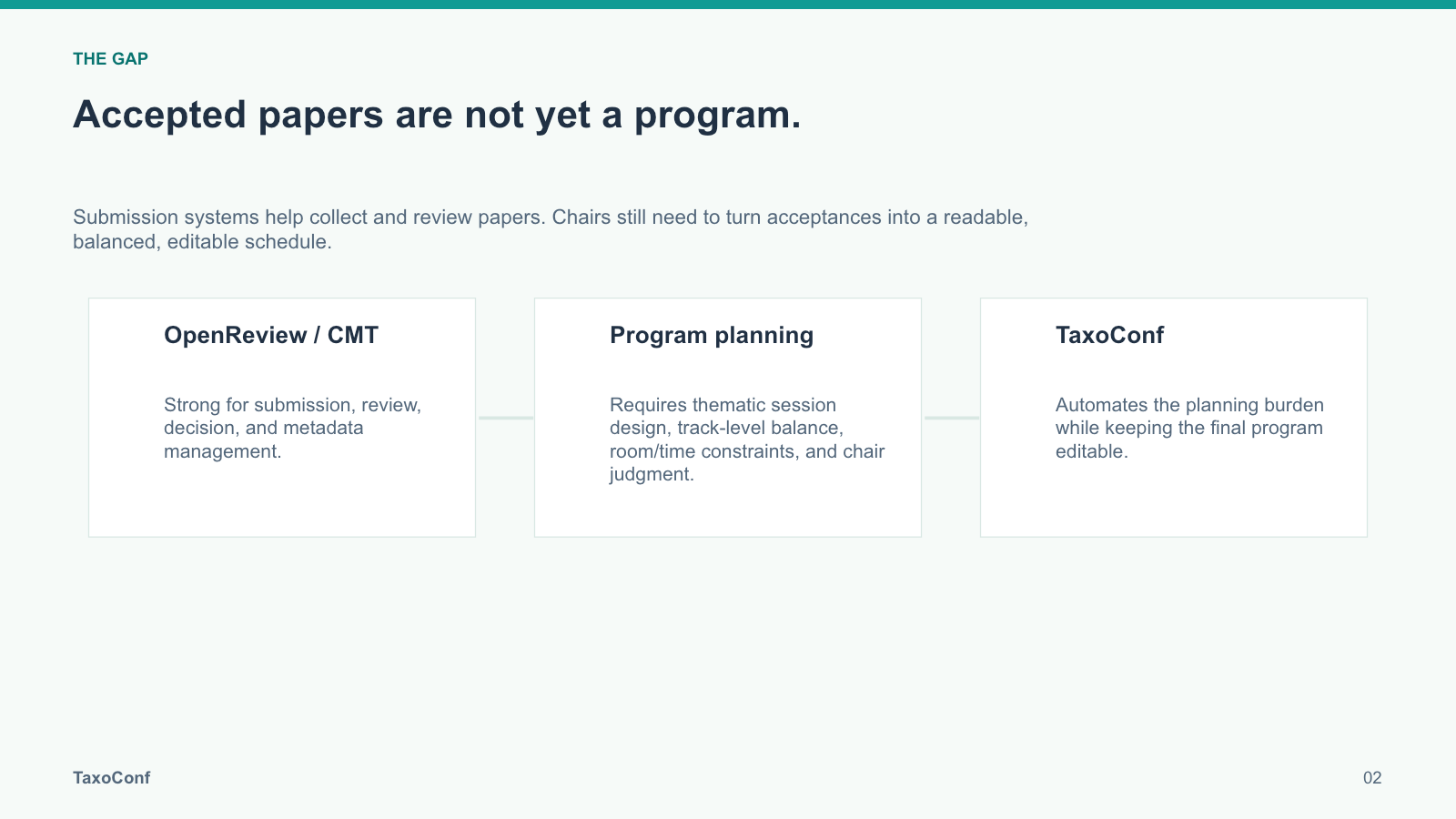
Weeks by hand. Minutes with TaxoConf.

A taxonomy-driven system for conference program construction, led by The University of Queensland.

Sign in or register with an invitation code to build your conference program.

Contact Us

If you want more customized features or hands-on support.

1 / 5

Coherent sessions

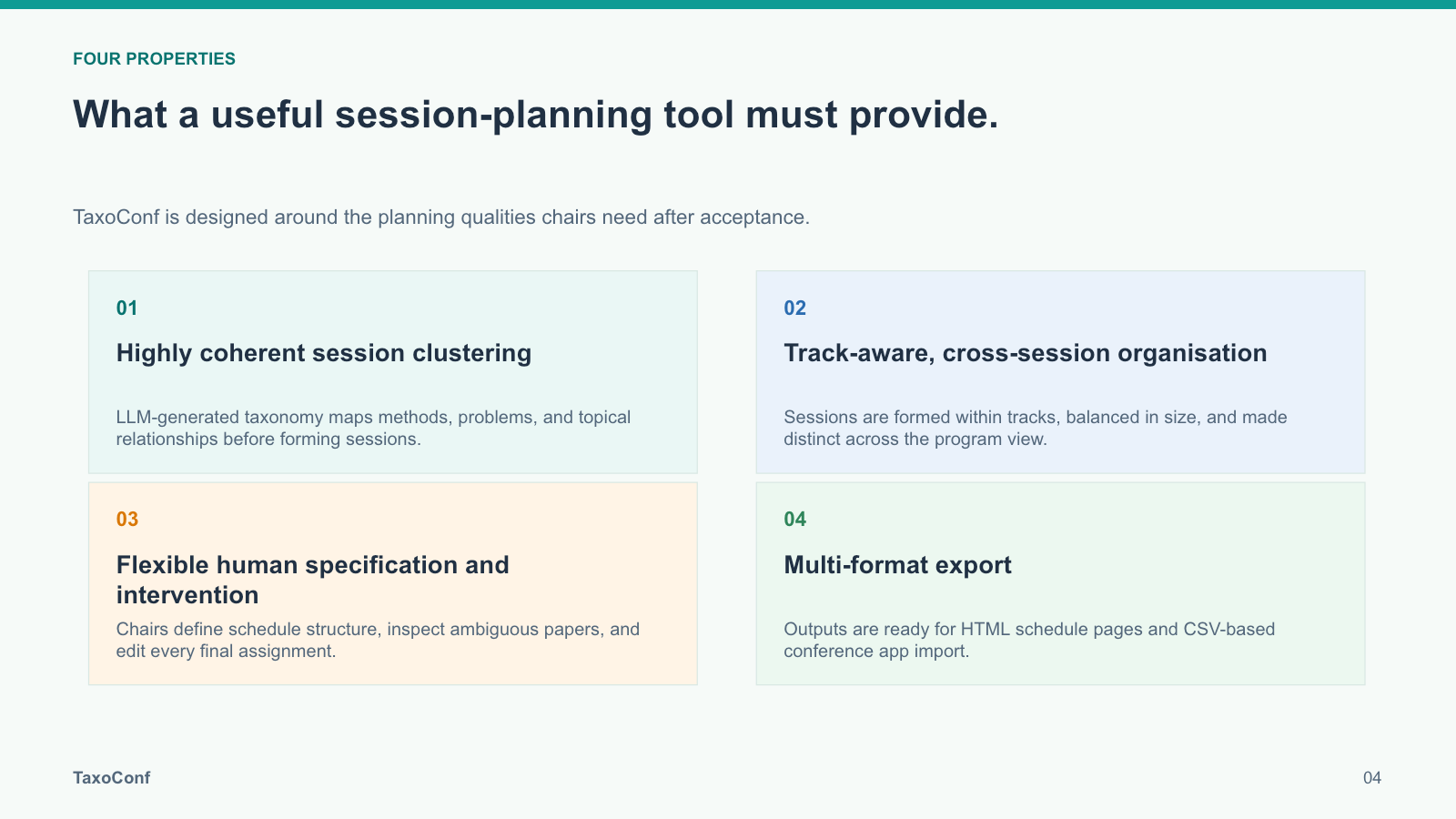
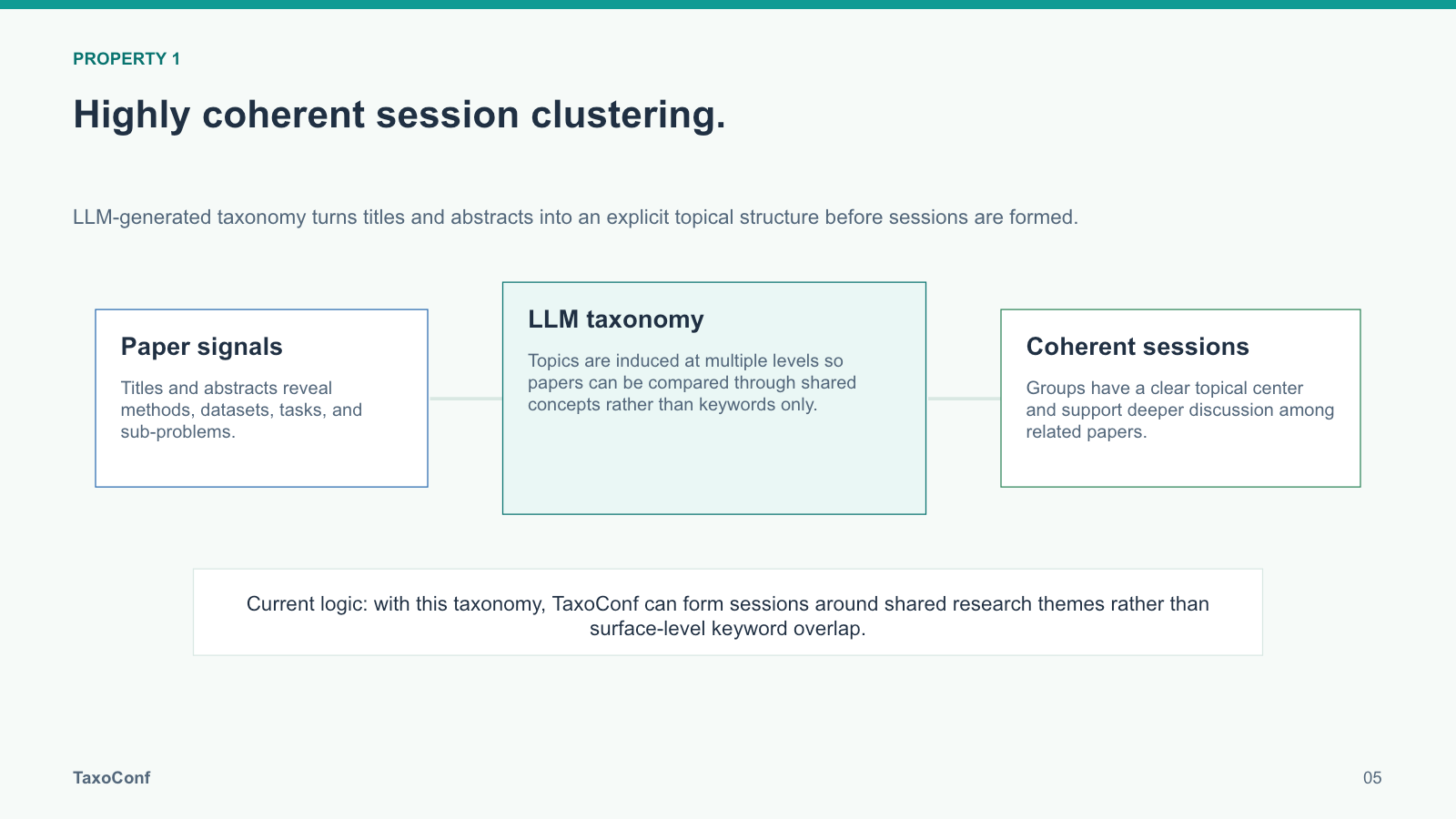
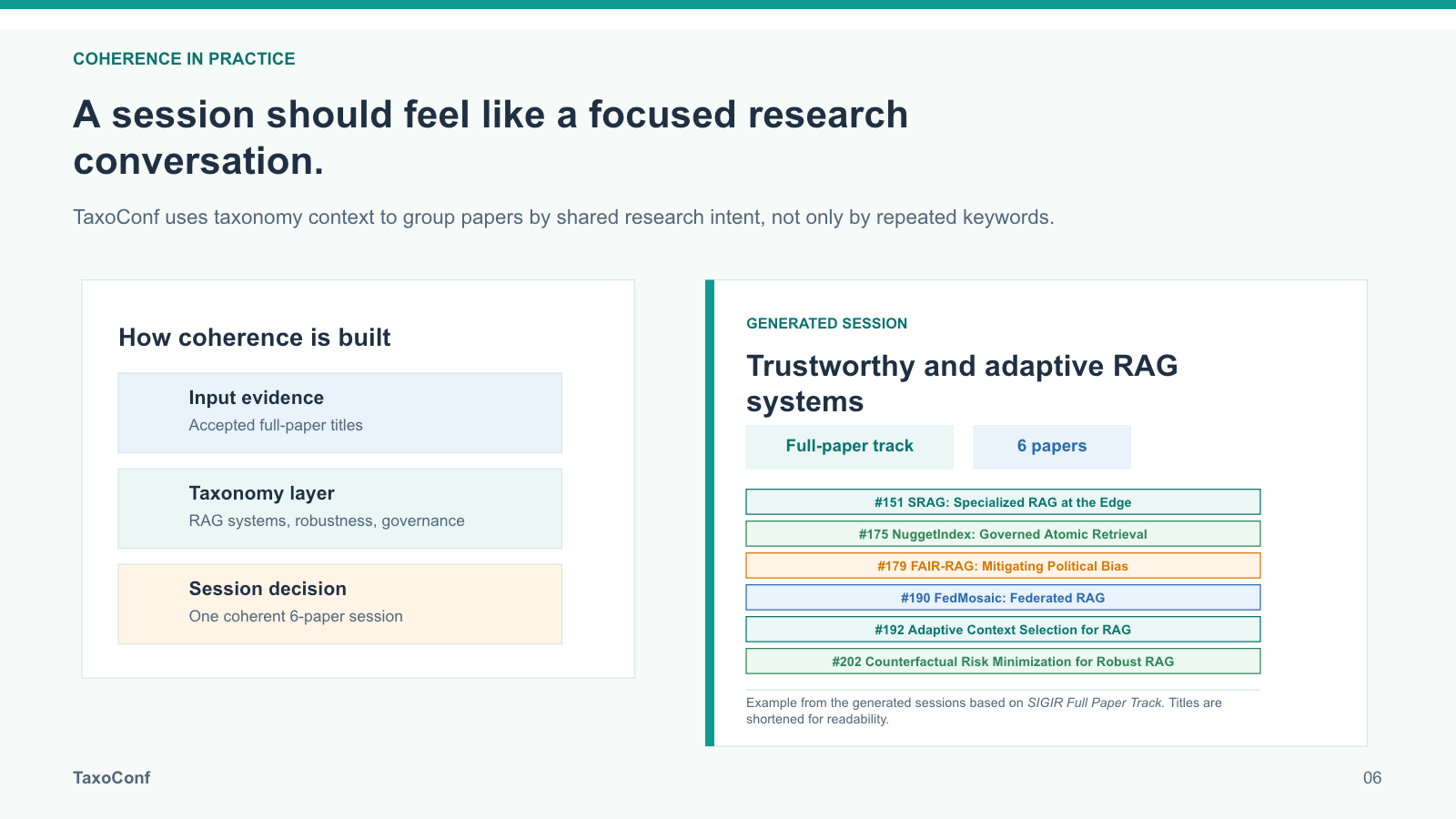
A semantic taxonomy built from your accepted papers groups them into focused, thematic sessions.

Accepted papers flow through a topic taxonomy into coherent sessions
2 / 5

Constraint-aware scheduling

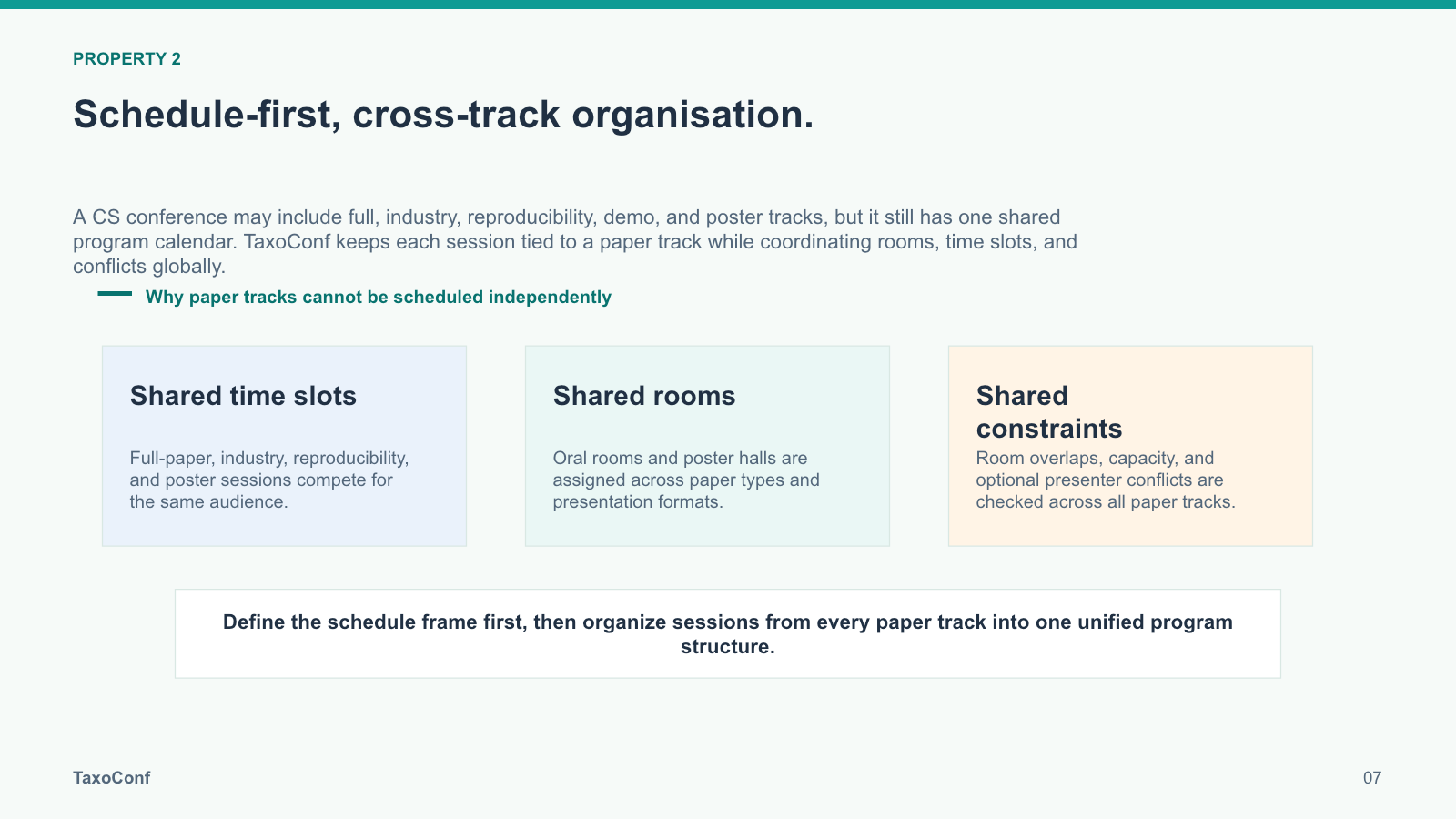
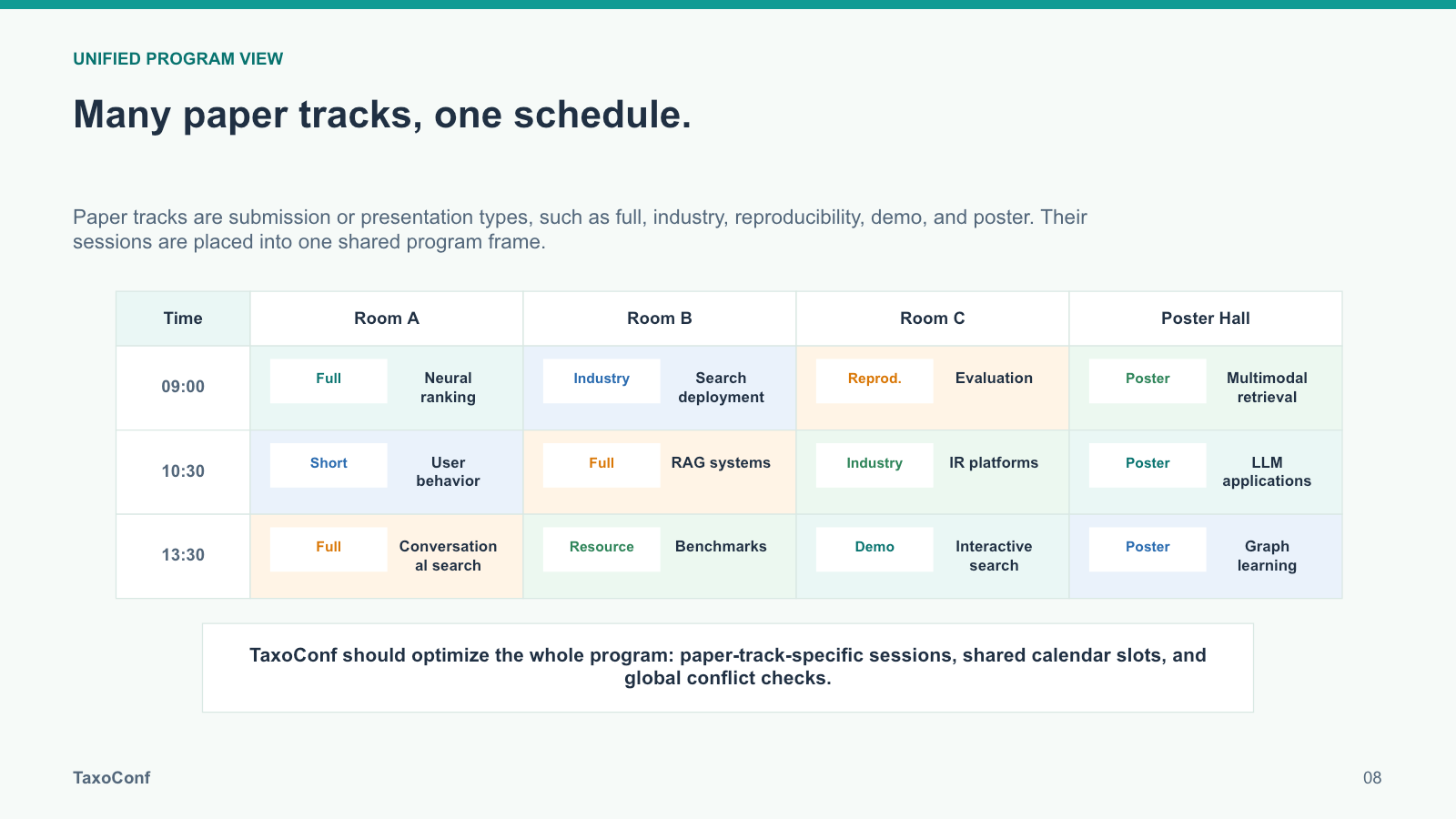
Papers fit whatever session plan you specify — presenter conflicts, capacities, fixed placements, and topic separation are all enforced.
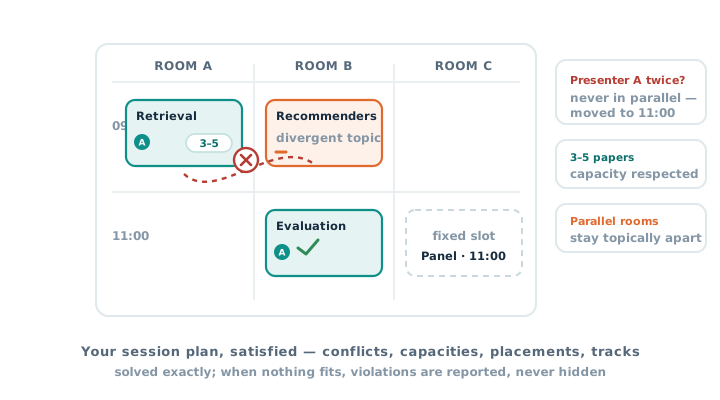
Sessions placed on a schedule grid while conflicts, capacities, and placements are enforced
3 / 5

Human-in-the-loop editing

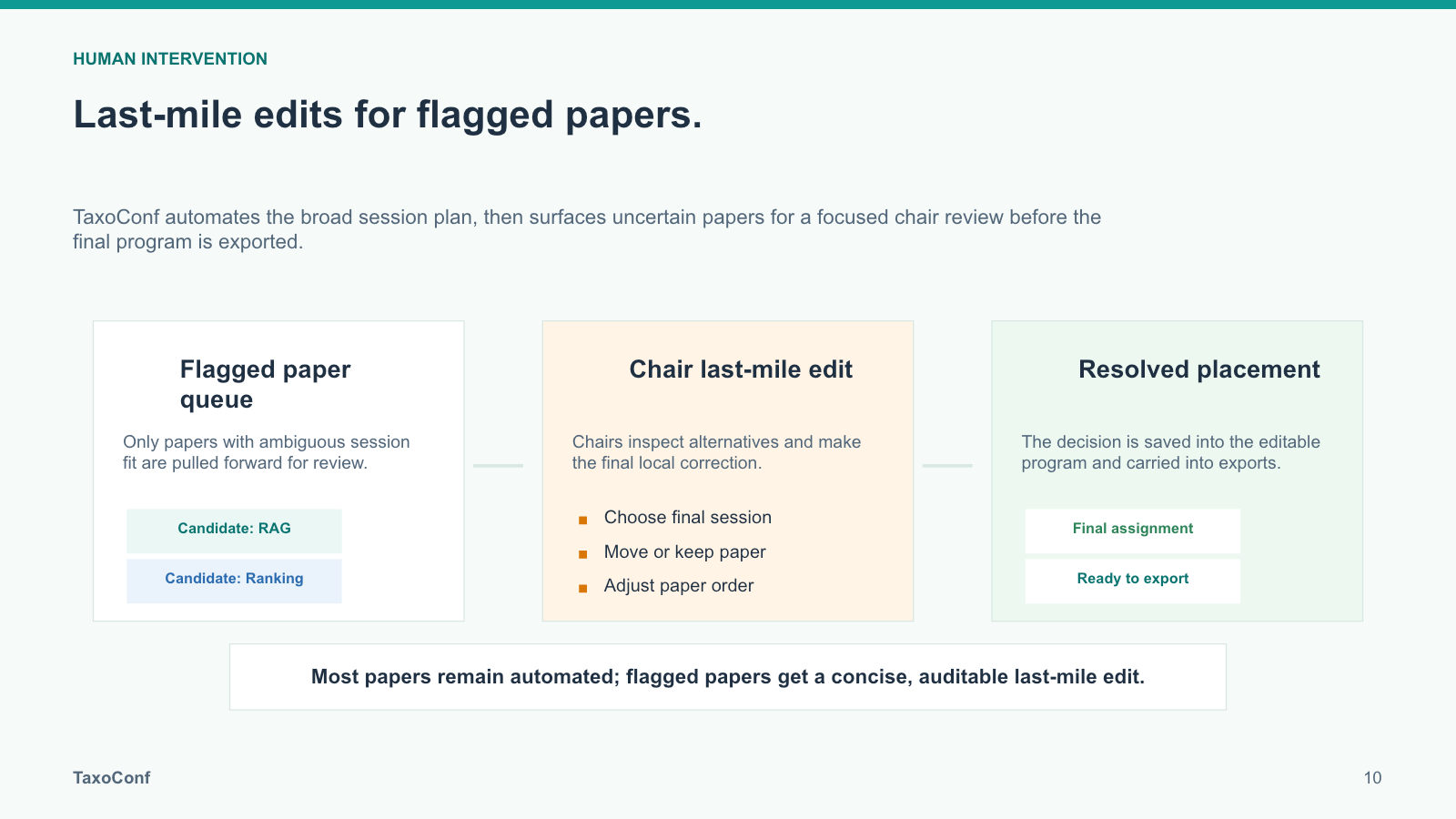
Reassign anything freely; TaxoConf flags questionable placements and suggests better homes.
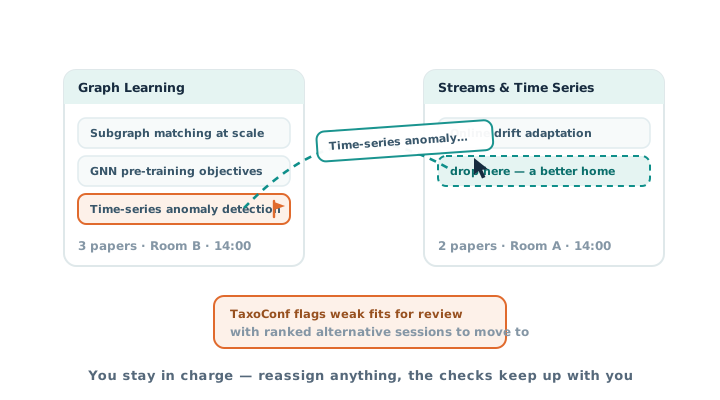
A paper is dragged between sessions while a weak fit is flagged for review
4 / 5

Conference-ready outputs

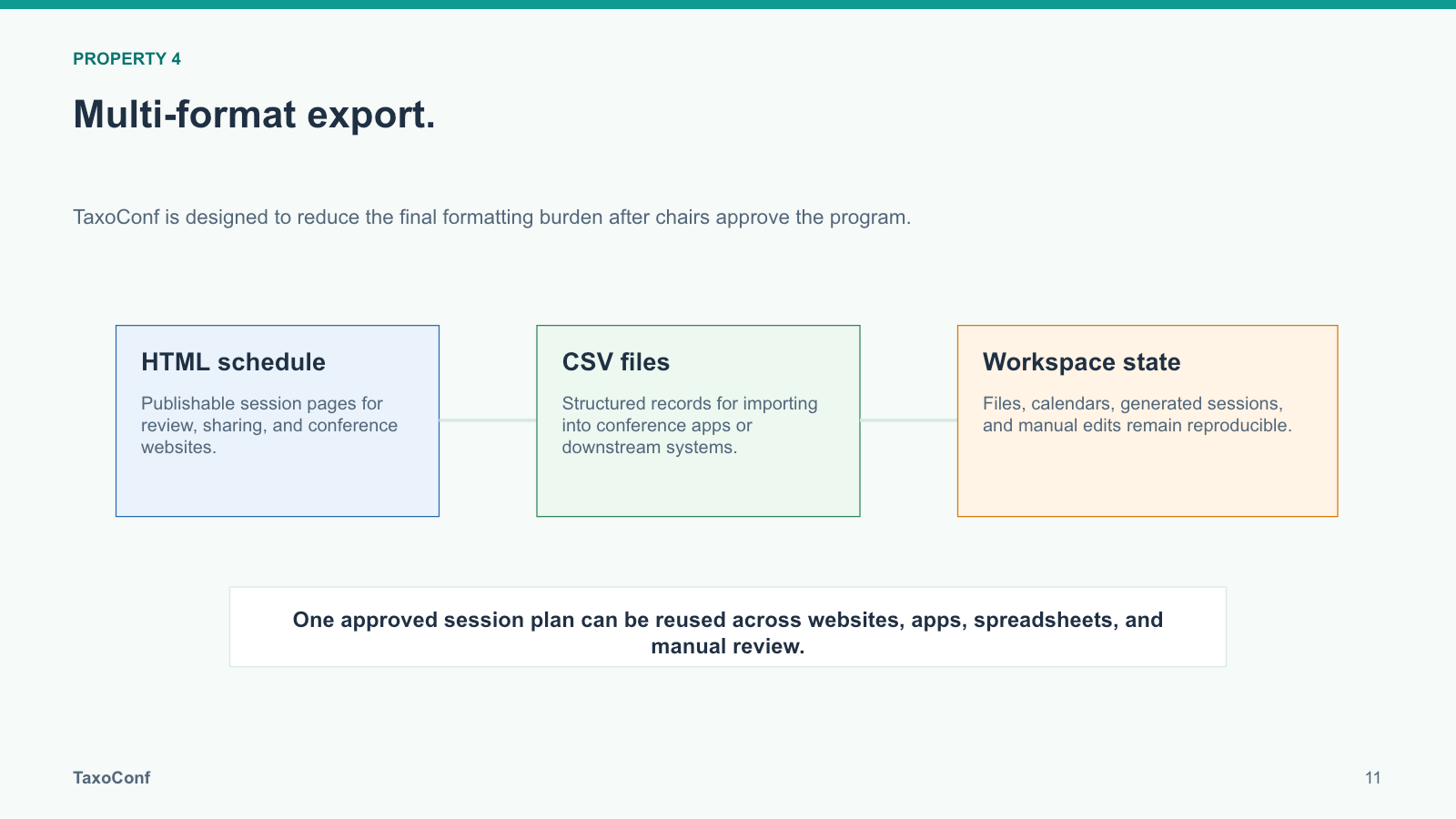
CSV and Excel files that import straight into conference apps, plus an interactive HTML program page.
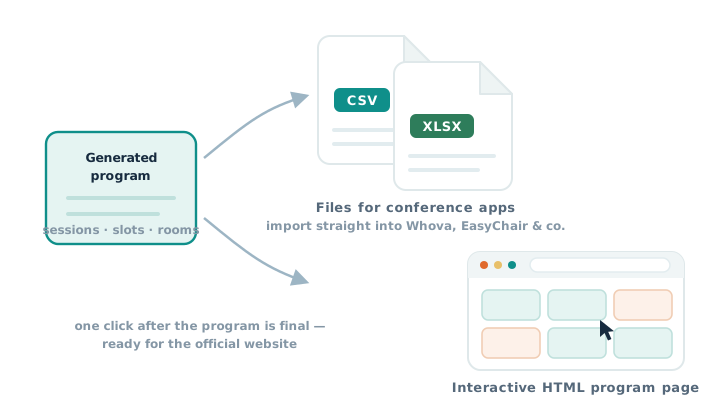
The generated program exported as CSV and Excel files and an interactive program page
5 / 5

Interactive data insights

Statistics and a navigable topic landscape, generated from the taxonomy — see the Insights tab.
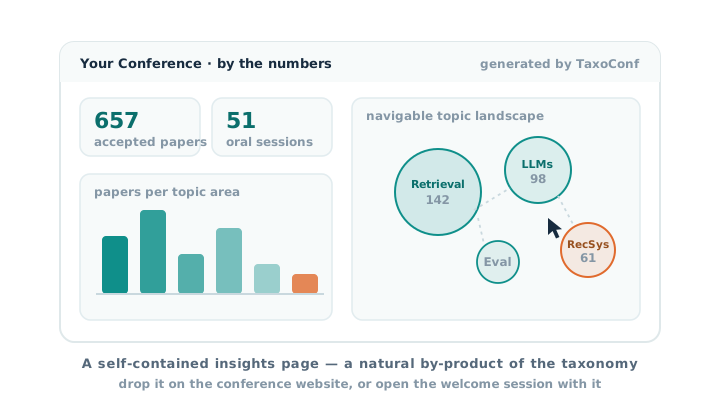
An insights dashboard with conference statistics and a navigable topic landscape

News

Loading news...

Introduction Video

A short introduction to TaxoConf and its main workflow, from paper upload to schedule export.
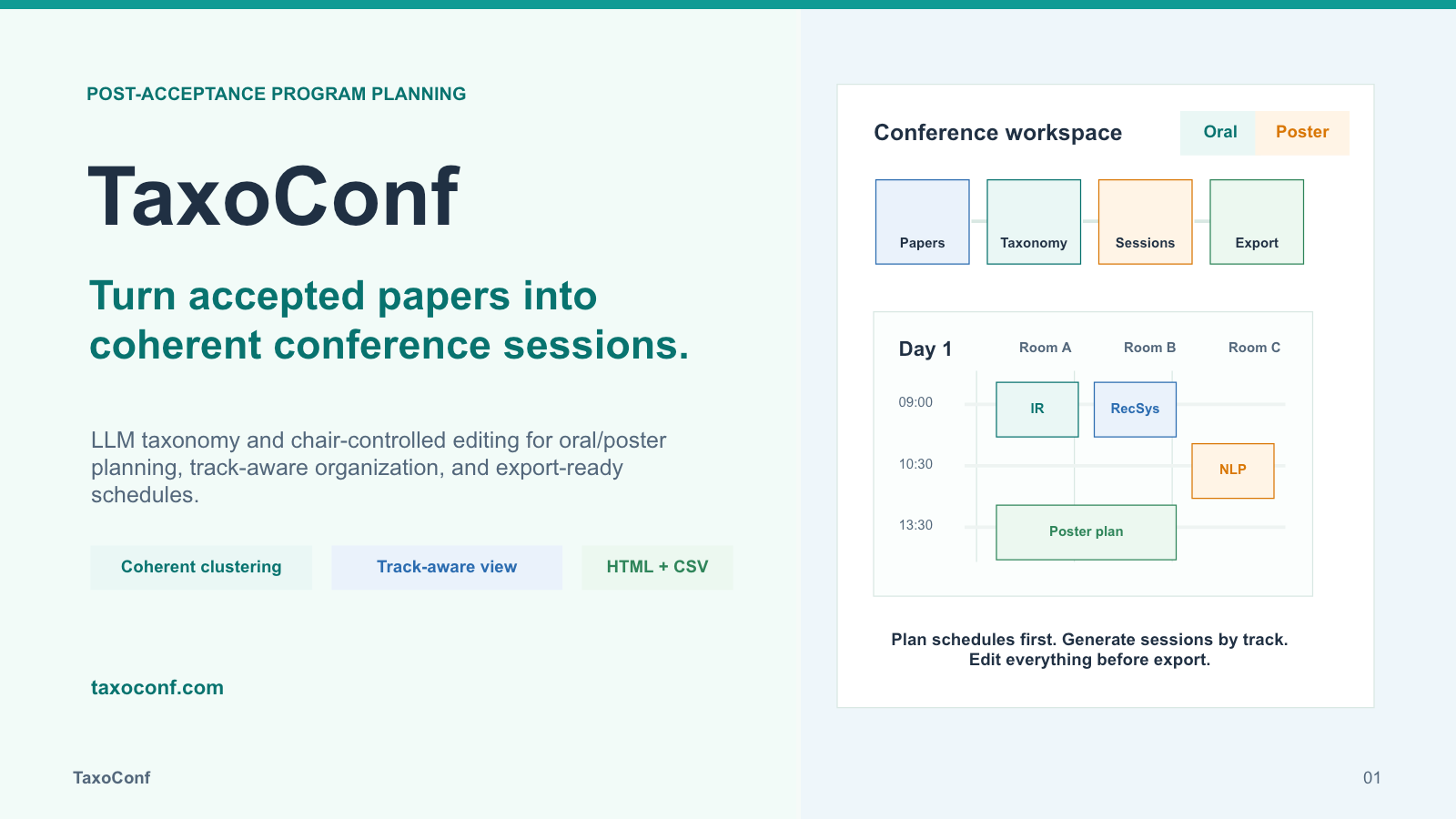
Your browser does not support embedded video playback.

From Papers to Sessions

01
Prepare metadata
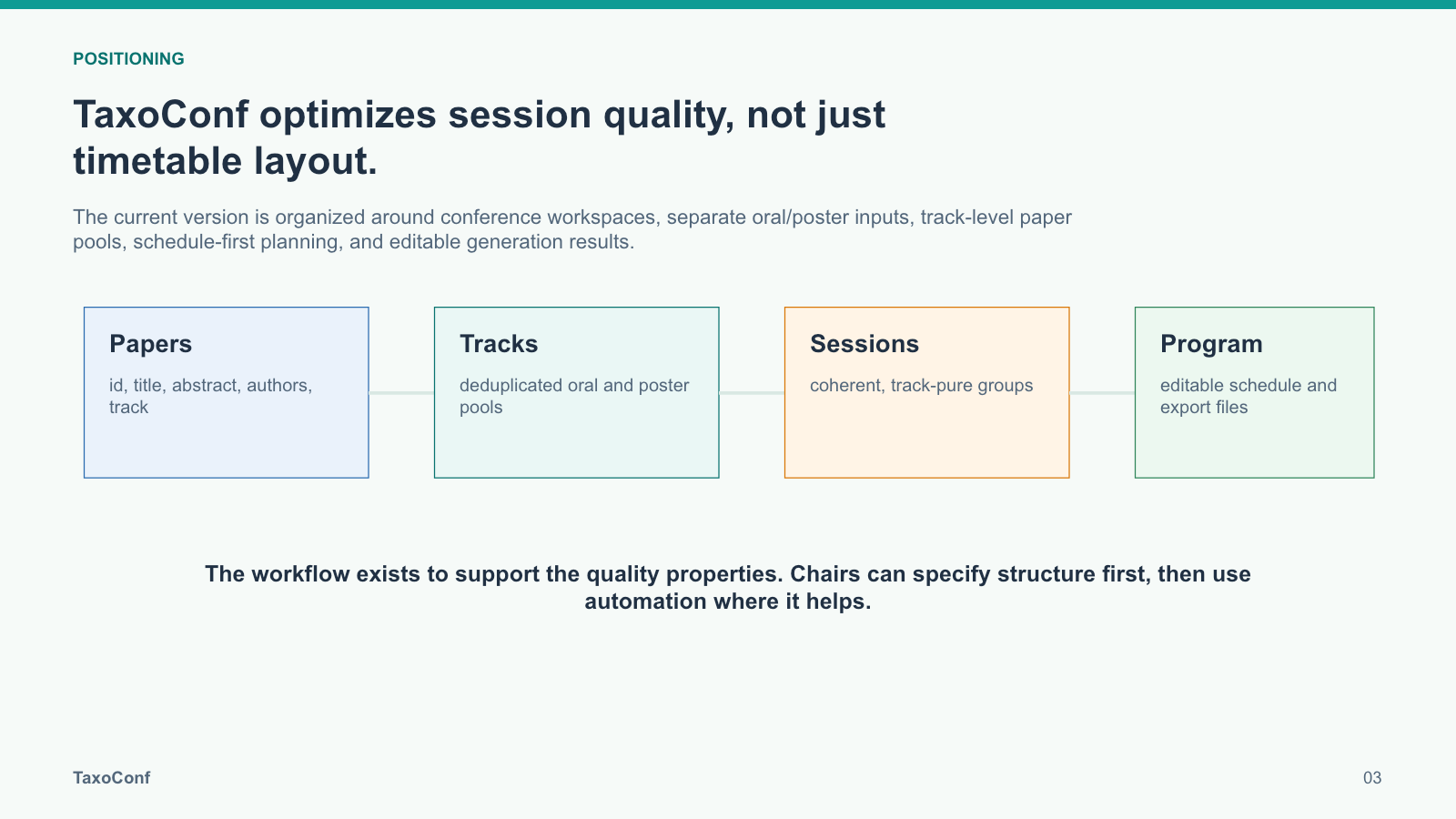
Create a workspace and upload oral or poster paper files in CSV or JSON format.
02
Taxonomy-driven grouping
Use taxonomy-guided structure to cluster papers into coherent oral and poster sessions.
03
Generate programs
Build track-aware sessions while respecting capacity, room, time, and optional presenter constraints.
04
Edit and export
Refine the generated calendar, move sessions, and export CSV, HTML, or spreadsheet files.

Slides

TaxoConf introduction slide 1
TaxoConf introduction slide 2
TaxoConf introduction slide 3
TaxoConf introduction slide 4
TaxoConf introduction slide 5
TaxoConf introduction slide 6
TaxoConf introduction slide 7
TaxoConf introduction slide 8
TaxoConf introduction slide 9
TaxoConf introduction slide 10
TaxoConf introduction slide 11
TaxoConf introduction slide 12
1 / 12

Already Deployed

VLDB 2026 Boston logo
Data Management

VLDB 2026

TaxoConf has supported program generation for VLDB 2026, the 52nd International Conference on Very Large Data Bases, held in Boston from 31 August to 4 September 2026. The main conference concentrates 54 research sessions into three days across six parallel rooms, alongside industry sessions, demonstrations, tutorials, panels, and two full days of workshops.

With six rooms running simultaneously in 90-minute blocks, related work must be spread across parallel slots rather than colliding within them, and VLDB's mix of submission types — regular research, experiment and analysis, scalable data science, vision, and VLDB Journal papers — needs to stay legible to attendees choosing between rooms. TaxoConf's taxonomy-driven grouping and conflict-aware placement helped organizers assemble that structure and refine it before publication.

Program: View the detailed program

Statistics and topic landscape: Not yet available.

SIGIR 2026 logo
Information Retrieval

SIGIR 2026

TaxoConf has supported program generation for SIGIR 2026, a top-tier information retrieval venue with multiple tracks, including full papers, low-resource environments, and industry papers. The system helped organizers keep track identities coherent while allowing flexible session capacities to make better use of the timetable.

Because many SIGIR authors appear on multiple accepted papers, TaxoConf also helped surface conflict-aware organization needs, reducing the risk of assigning related presentations to overlapping times or different locations.

Program: View the detailed program

Statistics and topic landscape: Explore the interactive view

IEEE WCCI 2026 Maastricht logo
Neural Networks

IJCNN 2026

TaxoConf has helped generate program structure for IJCNN 2026, part of IEEE WCCI 2026, at the scale of roughly 1,200 accepted papers. The conference combines in-person and virtual oral presentations, creating scheduling pressure across rooms, time zones, and presentation modes.

The tool was especially useful for more than 40 special sessions, where related papers should remain together whenever possible, and for Industry Day planning, where industry-focused presentations needed to be arranged coherently within the broader program.

Program: View the daily program

Statistics and topic landscape: Not yet available.

Next Up

DASFAA 2027 logo ICDE 2027 Copenhagen logo ACM SIGIR 2027 logo

Drop-in Conference Insights

TaxoConf can generate a self-contained, interactive HTML page that turns a conference program into clear statistics and a navigable topic landscape. The page can be deployed directly on the official conference website for attendees to explore, or presented full-screen as part of the conference welcome and opening introduction.

Official conference website

Publish the HTML page alongside the conference program so attendees can explore participation, tracks, topics, and the research landscape in one place.

Welcome and opening presentation

Present the same page full-screen to introduce the scale, community, and topic structure of the conference at a glance.

Past Conference Insights

SIGIR 2026 logo
Interactive conference overview

SIGIR 2026 by the Numbers

Explore conference statistics, participation, tracks, and the taxonomy landscape of accepted papers.

View insights

Technical Grounding

Related research that informs the ideas behind TaxoConf and its taxonomy-guided program generation workflow.

SIGMOD 2027

Taxonomy Maintenance In The Wild Over Evolving Scholarly Data: Reliability, Efficiency, and Cost-Effectiveness

This SIGMOD 2027 paper studies reliable, efficient, and cost-effective taxonomy construction and maintenance over evolving scholarly data, providing technical grounding for TaxoConf's taxonomy-guided program generation workflow.

Accepted to SIGMOD 2027. View on arXiv

Paper Files

Upload files from the Files page into either Oral Files or Poster Files. Each file should provide id, title, abstract, authors, and track. Missing optional fields are shown as warnings, and missing tracks are normalized to Unspecified.

id,title,abstract,authors,track O-001,"Retrieval-Augmented Generation with Adaptive Passage Selection","We propose a novel RAG framework that dynamically selects passages...","Alice Wang, Bob Chen, Carol Liu","Full Research Papers" O-002,"Fair Exposure in Conversational Recommendation Systems","This paper addresses fairness constraints in multi-turn recommendation...","David Kim, Eva Martinez","Full Research Papers" O-003,"Efficient Dense Retrieval via Learned Index Structures","We introduce a learned indexing approach for approximate dense retrieval...","Frank Zhou, Grace Tan","Industry Papers"
[ { "id": "O-001", "title": "Retrieval-Augmented Generation with Adaptive Passage Selection", "abstract": "We propose a novel RAG framework that dynamically selects passages...", "authors": ["Alice Wang", "Bob Chen", "Carol Liu"], "track": "Full Research Papers" }, { "id": "O-002", "title": "Fair Exposure in Conversational Recommendation Systems", "abstract": "This paper addresses fairness constraints in multi-turn recommendation...", "authors": ["David Kim", "Eva Martinez"], "track": "Full Research Papers" } ]

Workspace Outputs

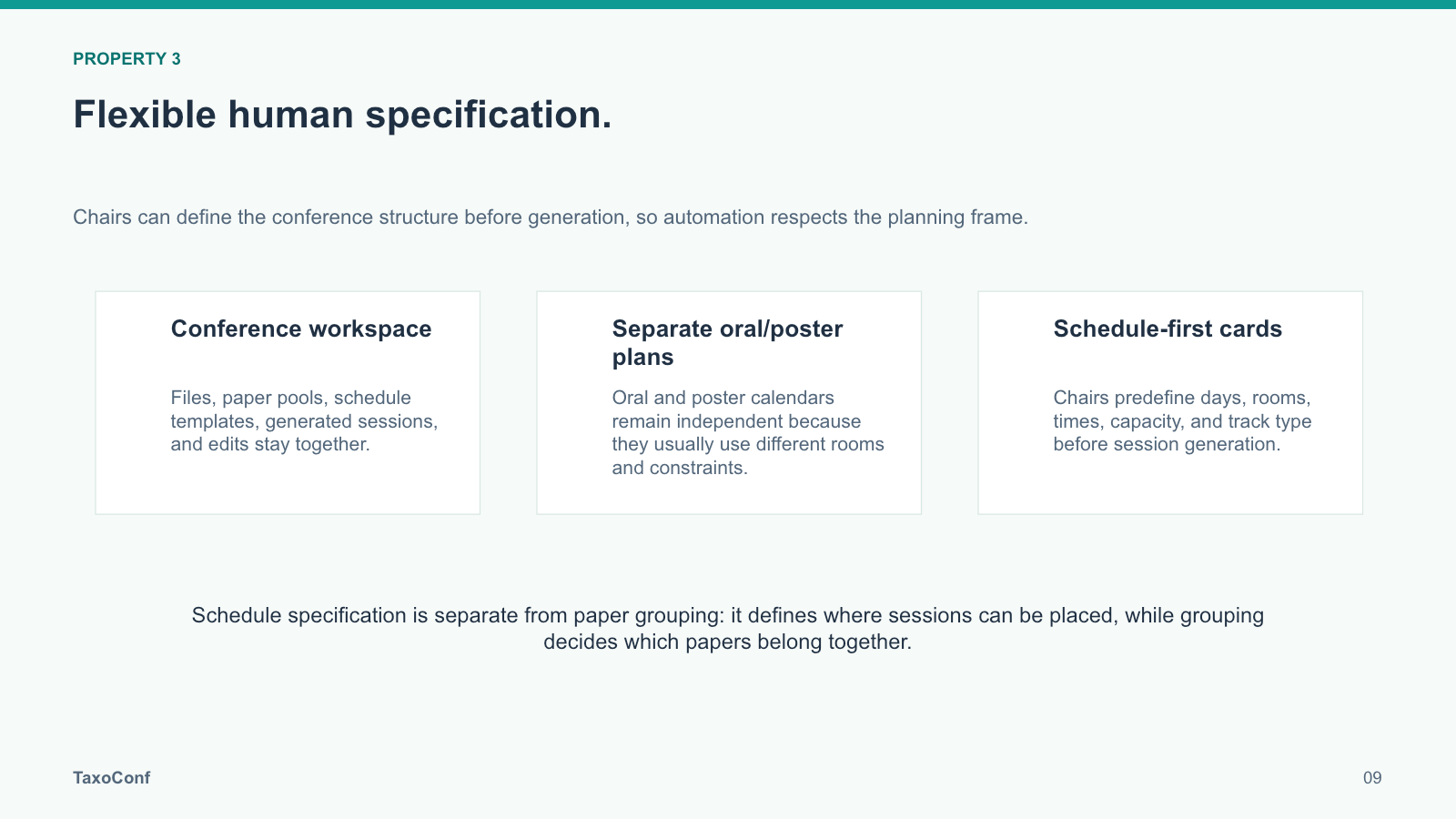
TaxoConf stores schedule templates, generated sessions, manual edits, and export-ready results inside the active workspace.

WS

Workspace state

Files, paper pools, calendars, and saved results.

CAL

Editable calendar

Room-by-time session cards for oral and poster plans.

XLS

Export files

CSV, HTML, and spreadsheet conference outputs.

Core Members

Prof. Zhifeng Bao
Prof. Zhifeng Bao Leader The University of Queensland Homepage
Daomin Ji
Daomin Ji Co-leader The University of Queensland Homepage

Collaborator

Dr. Junhao Gan
Dr. Junhao Gan The University of Melbourne Homepage
Loading workspace files...
Loading selected papers...
Loading schedule workspace...

Setup Panel: Paper Assignment

Mode

Assignment Mode
Loading assignment data summary from the server...

Data

Conference Demo Data
Demonstration mode uses the papers, reviewers, meta-reviewers, affinity matrices, and conflict matrices stored on the server.
Upload your own JSON data to run assignment in normal mode.

Parameters

Reviewer Workload
Reviewer Coverage
Meta-Reviewer Workload

Main Panel: Assignment Result

Paper View List

Assignment Detail

Run assignment and click a paper or PC member to inspect details.

Setup Panel: Reviewer Discovery

Status

Reviewer Discovery is still in progress. The backend integration for candidate retrieval and gap analysis is being revised and the interactive controls are intentionally disabled for this build.

Planned Scope

The final version will surface reviewer-demand gaps, search candidate reviewers from external sources, and let users inspect how recommended additions reduce uncovered topical demand.

Main Panel: Reviewer Discovery

Still In Progress

This tab is intentionally disabled in the current demo build. No search or recommendation results are available yet.

Oral Session Organization

Loading...
Loading server-side presentation data...

Session Parameters

Parallel Sessions (M)
Time Slots (N)
Max per Session
Min per Session

Capacity Check

Checking capacity against the demo paper set...

Export

Export Format
Click a session cell after the run to inspect and edit.

Oral Schedule Result

Poster Session Organization

Loading...
Loading server-side presentation data...

Floor Plan Layout

Floor Plan Category
Specific Floor Plan
Board Count
Rectangle Rows
Rectangle Columns

Session Parameters

Session Count
Checking capacity...

Export

Export Format
Click any poster session card or board to inspect and edit.

Main Panel: Poster Arrangement Result

Token & Cost Statistics

Track LLM token usage and estimated costs across runs and your workspaces.

Last Run

No run data yet.

Current Workspace

No workspace data.

All My Workspaces

No global data.

Run History

No runs recorded yet.

Settings

Configure LLM provider, organization methods, and similarity engine. Changes take effect immediately.

LLM Provider & Model

API Key: Account mode uses server-managed LLM credentials. Set OPENROUTER_API_KEY in the server environment.


Get your key at openrouter.ai/keys

Session Detail

Poster Session Detail

Oral Last-Mile Modification

Poster Last-Mile Modification

Save / Load Progress